ARPort SafetyVR · Corporate events
Safety Day with VR
How can you get employees interested in safety — and create an event they want to join?
Bring safety rules to life. Employees can practise first aid, respond to a fire and identify hazards, discuss solutions together and immediately try them in VR.
The solution
Corporate VR challenges: learn through play and shared experience
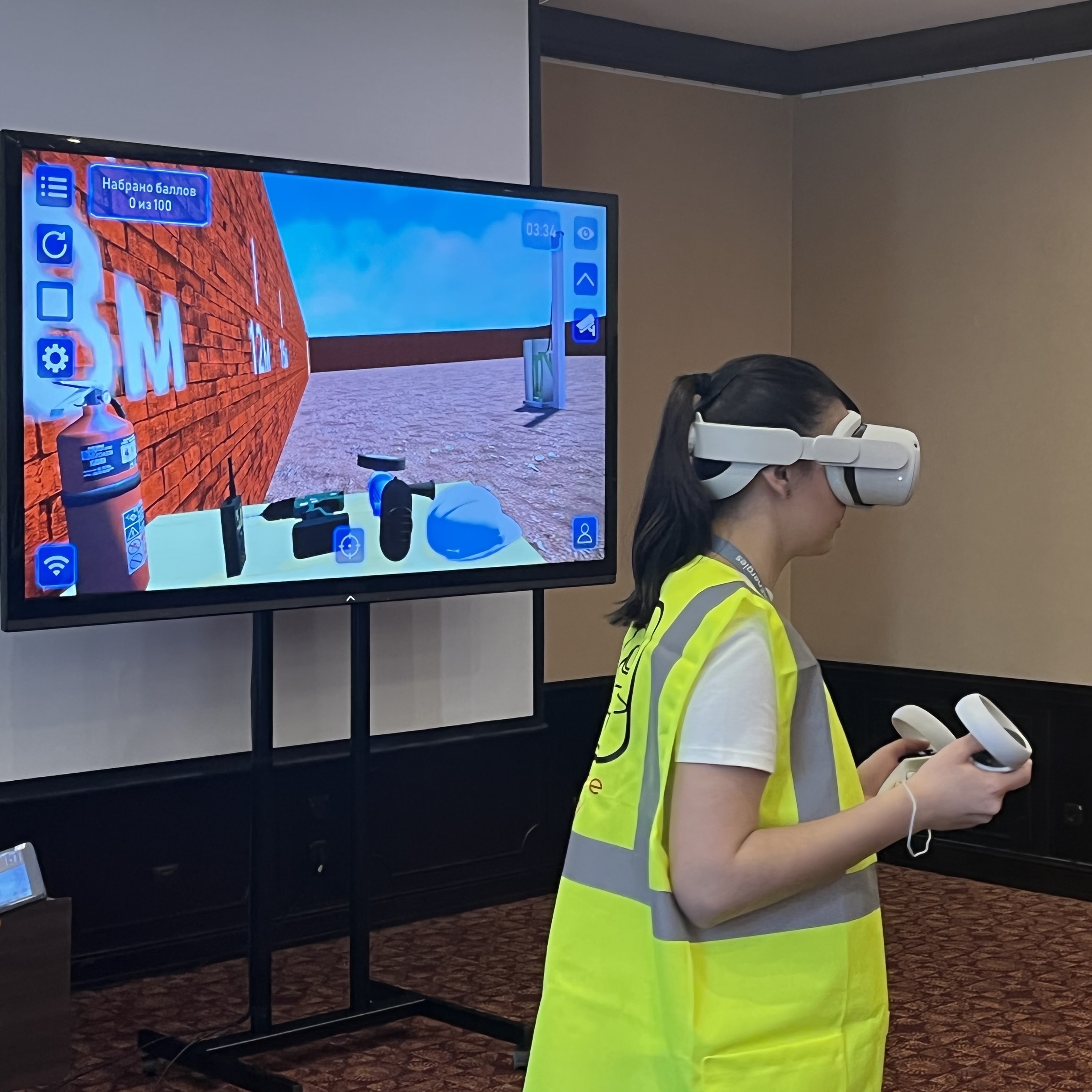
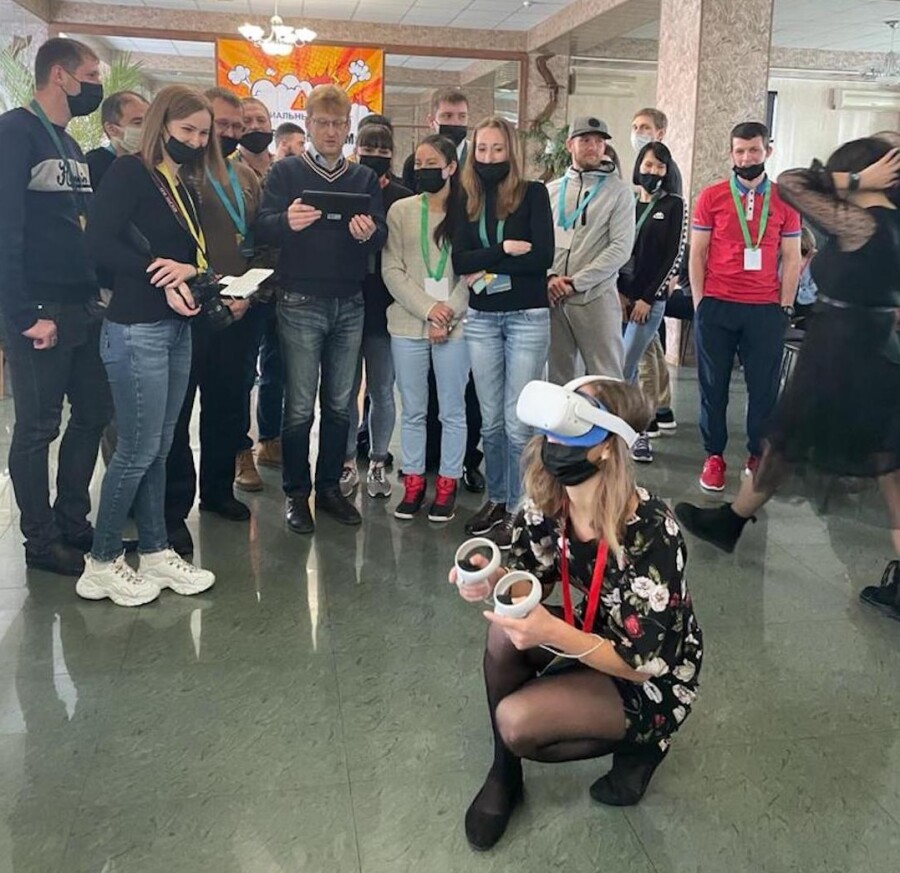
One person puts on a headset and completes a task: helping a casualty, responding to a fire or identifying hazards. The team sees the scene through their eyes on a shared screen, discusses decisions with them and each other, and helps complete the task.
Explore the situation
The facilitator introduces the controls. The participant puts on a headset and completes a task in the virtual environment.
Find a solution together
Colleagues follow the scene on a screen or tablet, discuss options with the participant and suggest how to complete the task.
Put your decisions to the test
The next participant puts on the headset and tries the task. They can apply the ideas the team has just discussed and improve their result.
Review the results together. After the sessions, the moderator discusses successful decisions and results with the team, reinforces the sequence of actions and announces the winners. Run the competition with individual or team scoring.
The outcome
Benefits for safety and teamwork
Practise safe actions
Employees choose how to respond to fires, electric shock and other hazards. Review mistakes and repeat the scenario without recreating the real danger.
Learn as a team
Colleagues watch, suggest solutions and support the next participant. A shared task encourages cooperation and communication across departments.
Results for future training
Scores and recorded mistakes show which actions need more practice and help you choose topics for the next session.
A shared experience to discuss
The team discusses a concrete situation: what happened, why an action was chosen and how to respond more safely.
28 April — a reason to get started
Workplace safety matters every day
World Day for Safety and Health at Work is marked on 28 April. Keep interest in safe actions alive throughout the year.
Run VR challenges, for example, once a quarter, with new topics and teams. Regular sessions help you:
- Reinforce first aid and fire response skills.
- Improve results by discussing the previous attempt and trying again.
- Introduce new employees to a shared safety culture.
- Strengthen cooperation between colleagues and departments.
A team competition scenario
One task — a shared result
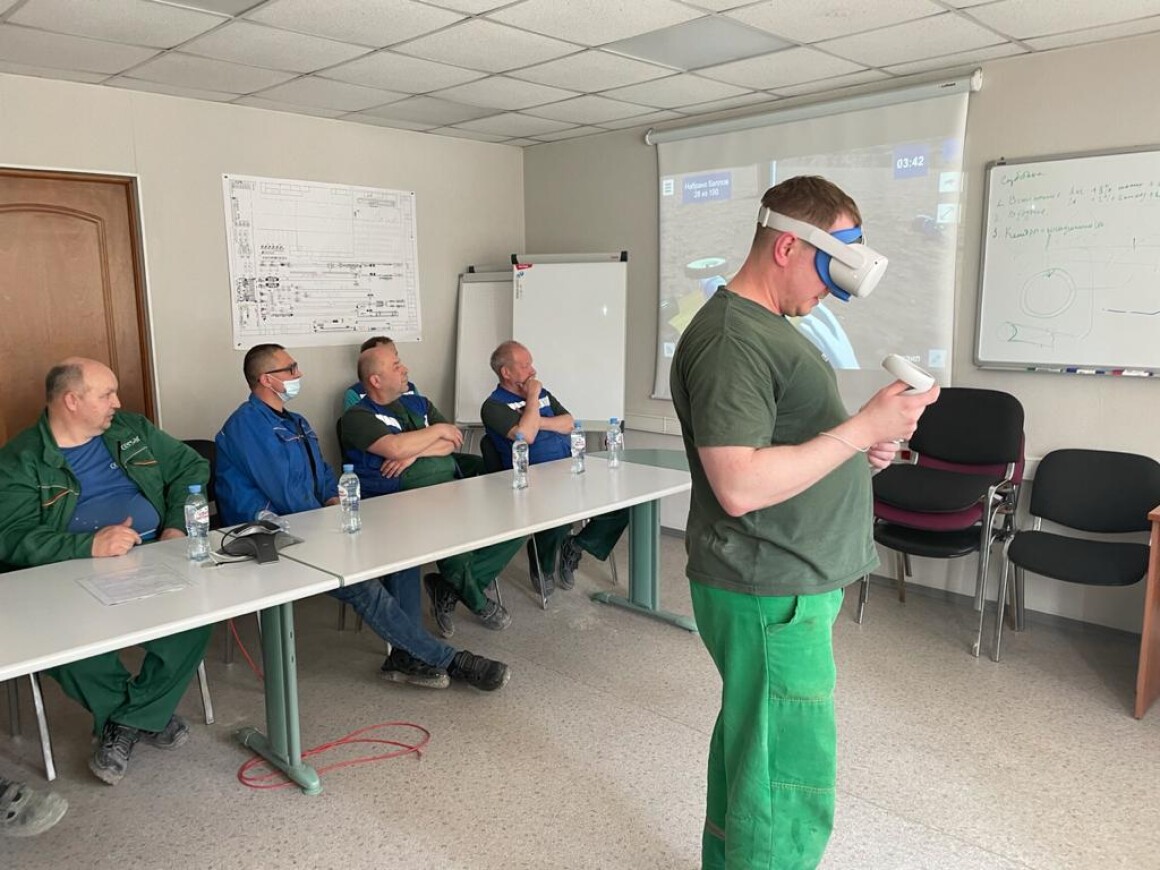
Divide employees into teams and ask them to help a casualty affected by electric shock. Participants take turns while their team helps identify the right sequence of actions.
A shared challenge
Teams receive the same task and time allowance. The aim is to score more points for correct actions.
Discussion and practice
Colleagues watch each attempt, discuss decisions and suggest improvements. The next participant tests those ideas in VR.
Team scoring
The moderator compares team results, announces the winners and reviews the best decisions with the participants.
Safety Days in Kazakhstan
In June 2025, we shared our partners’ experience of corporate Safety Day events in Kazakhstan. Employees tried VR scenarios and shared their impressions of this training format.
- Interactive tasks draw employees’ attention to safety.
- An event is an opportunity to try VR before choosing a kit for the company.
Which tasks should you offer employees?
For a first event, choose situations useful to people in different professions. For production teams, select tasks that reflect their workplace risks.
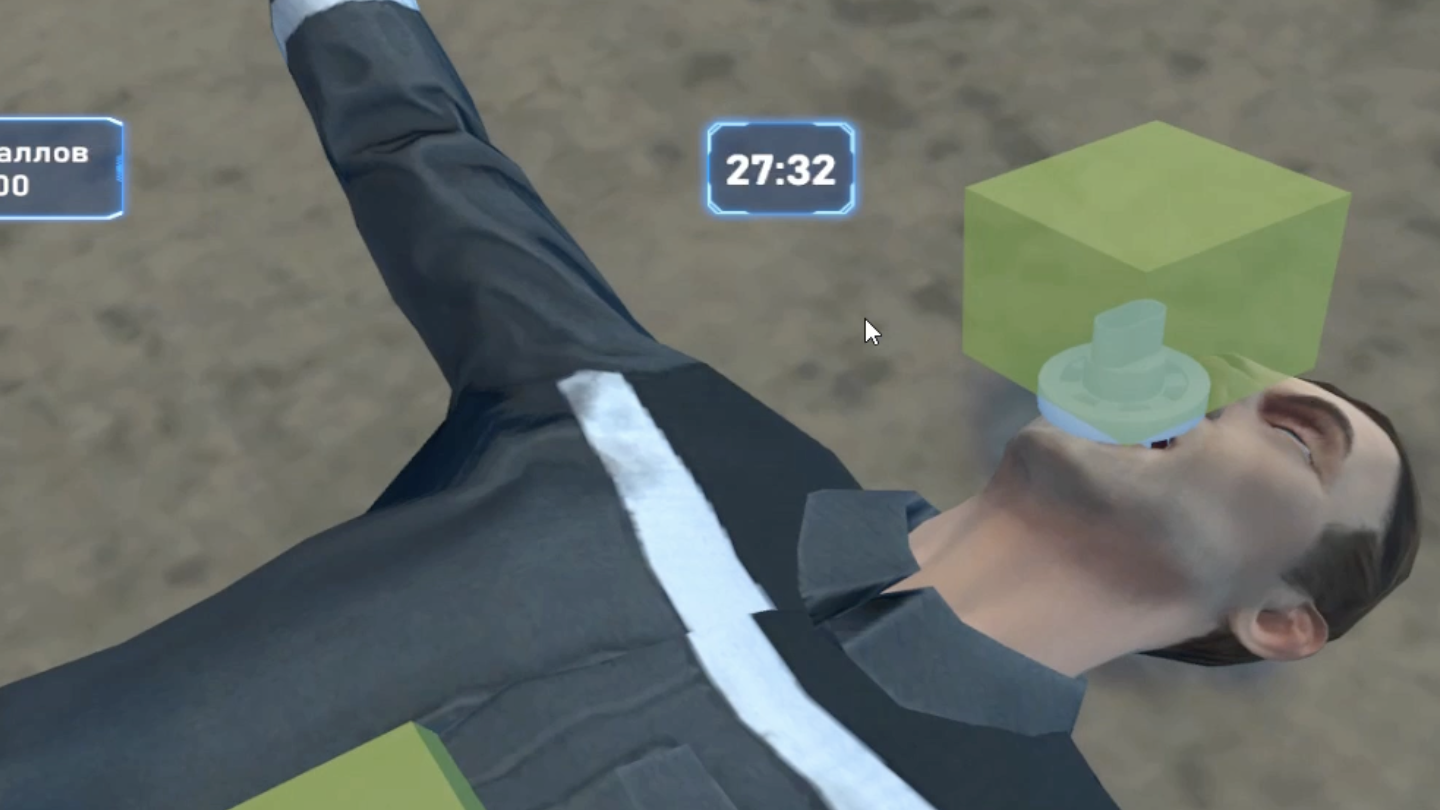
First aid
Assess the scene and the casualty’s condition, choose first aid supplies and decide on the sequence of actions.
Explore the simulator →
Responding to electric shock
Recognise the hazard, organise help and review actions following an electric shock.
Explore the simulator →
Fire response
Raise the alarm, choose firefighting equipment and decide when to evacuate.
Explore the simulator →
Hazard identification
Identify risks on an industrial site or in an office and choose safe actions.
Explore the simulator →Three ways to organise your event
Run it yourself
Use your company’s existing ARPort SafetyVR kit. We will provide a competition scenario free of charge that you can adapt to your goals.
Request a scenarioHire a kit for the event
Hire a VR kit and run the competition yourself. We will help select simulators and provide an event scenario.
Enquire about rentalLet us run the event
We take care of the programme, equipment and facilitation. Tell us the city, date and number of participants, and we will suggest a format for your team.
Plan an eventWhat you need to organise the event
Space and equipment
Allow at least 2 × 2 m of clear space for the person in the headset, preferably more for comfortable movement. Place the team and shared screen nearby.
You will need a VR headset with controllers and a tablet or laptop for session management. For groups, we recommend a large screen, a discussion moderator and an assistant to help participants with the headset.
Timing and participant numbers
Our example scenario allows around 8–9 attempts per hour and about 50–55 participants per day.
Event duration depends on participant numbers and the simulators selected. We will help plan the programme so the team has time to complete tasks and discuss results.
Questions about organising a Safety Day
Is it suitable for people who have never tried VR?
Absolutely! The facilitator helps participants get comfortable with the headset and controls. Employees can start with their first task while colleagues support them and help complete it.
Does the event have to be on 28 April?
Choose a day that suits your team. A VR competition works for a corporate safety day, a cross-department meeting or a regular quarterly event. Change topics and invite new teams.
Can we run the competition ourselves?
Yes! Use your own ARPort SafetyVR kit or hire one. We provide a ready-made scenario free of charge. We recommend a group moderator and an assistant for the headset, at least 2 × 2 m of clear space for the participant and room for the team beside the screen.
How do we choose the winners?
Results are saved in the ARPort SafetyVR cloud system. Open Statistics in your account, select the competition date and export the results to Excel. Compare individual scores or calculate team scores using your chosen rules.
Can we buy the kit after renting it?
Yes! You can buy the kit with a discount equal to the rental amount and continue running competitions and practical training at your company.
Request a programme and quote
Let us plan a VR programme for your team
Use the form below to tell us your organisation, city, preferred date, participant numbers and format: your own kit, rental or a fully organised event.
We will help select tasks and organise the competition. If your event is still an idea, tell us what you want to achieve and we will suggest a suitable format.