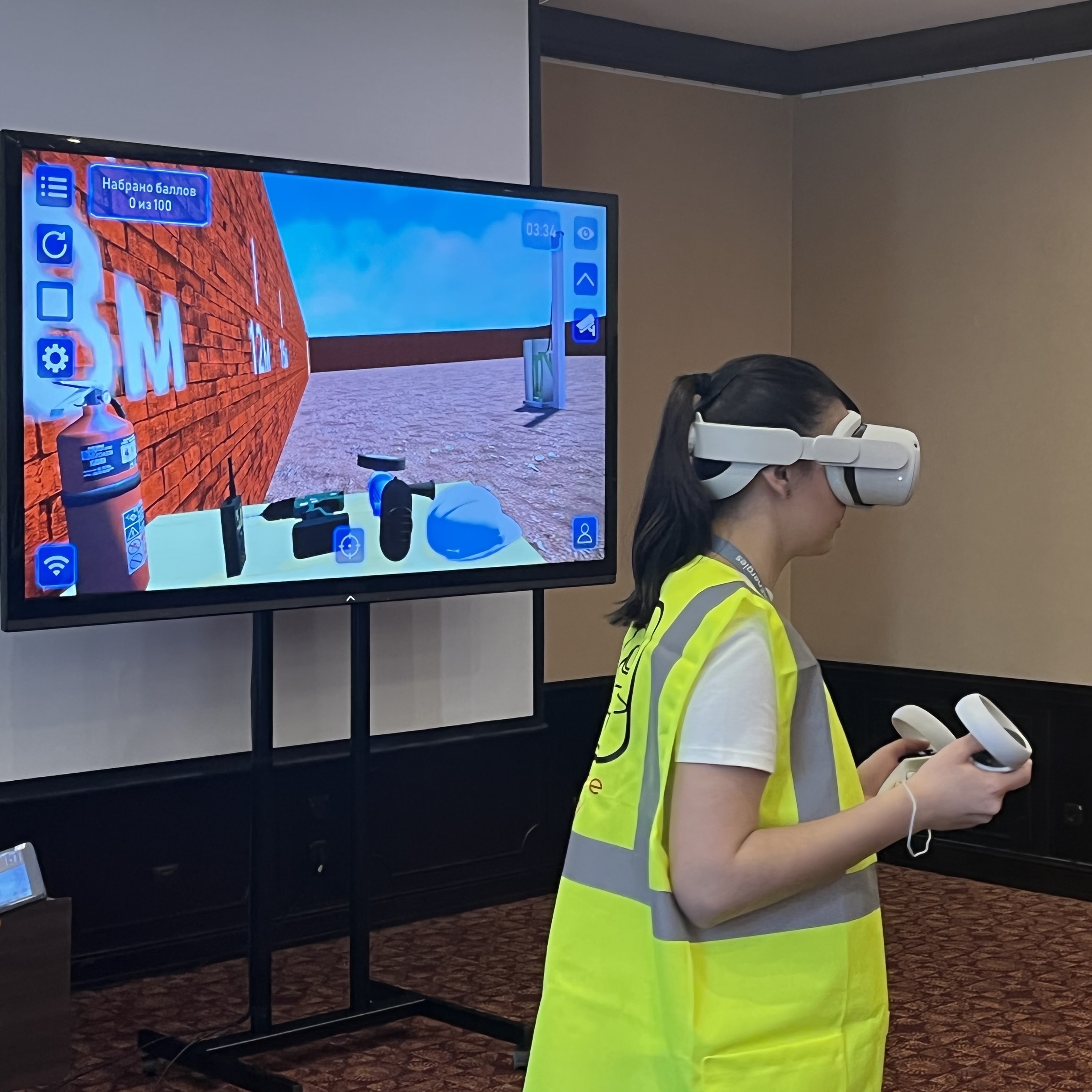
ARPort SafetyVR · First aid
VR first aid training simulator
“First Aid in Various Conditions” provides practical scenarios for assessing the scene and the casualty’s condition, choosing actions and providing first aid.
Learners practise in virtual reality while the instructor manages the session and reviews their results.
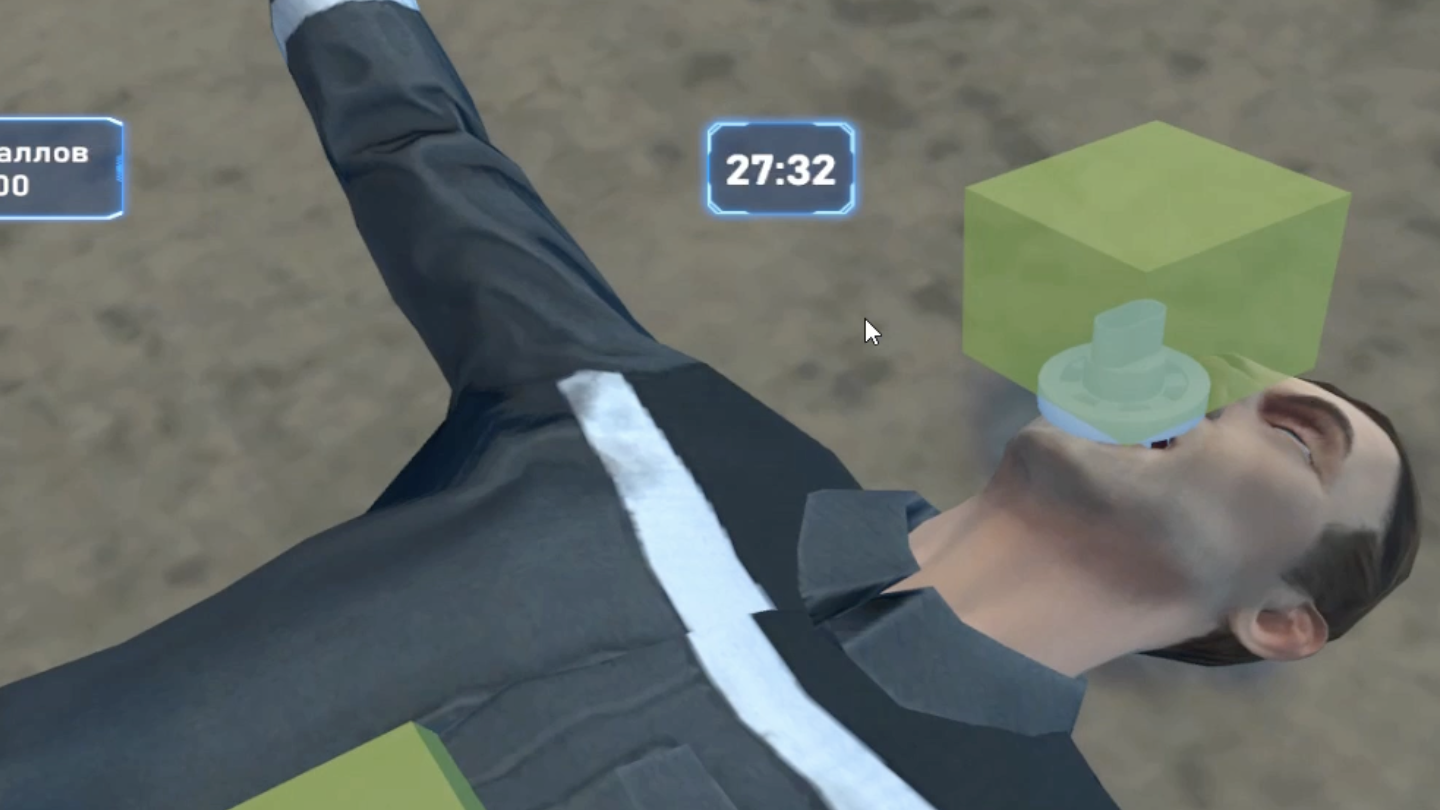
Skills learners practise
Assess risks
Inspect the scene, identify hazards and establish safe conditions for providing first aid.
Assess the casualty
Check consciousness and breathing, and recognise signs of injury, bleeding and other conditions.
Call for help
Contact emergency medical services. Notify the responsible staff when required by your organisation’s procedures.
Provide first aid
Choose the appropriate first aid kit supplies, use protective gloves and perform the actions needed in the scenario.
Monitor the casualty
Monitor the casualty until medical help arrives and explain the incident and the assistance already provided.
Reinforce skills
Review correct, incorrect and missed actions, identify improvements and repeat the scenario when needed.
Conditions and scenarios
- Loss of consciousness
- Bleeding
- Burns
- Fractures
- Frostbite
- Resuscitation
procedures

See VR training in action
Explore practical training scenarios in our English-language YouTube playlist.
To explore this first aid simulator, request demo access and tell us which training languages you need.
How a session works
Choose the simulator and settings
The instructor selects the simulator, scenario, mode — learning, practice, examination or stress — and available task settings.
Practise in virtual reality
Learners provide first aid in a virtual scenario designed to resemble a real situation. In learning and practice modes, they receive feedback with scores for correct, incorrect and missed actions.
Review results and errors
After a session, review what was done correctly, what was incorrect or missed and what can be improved. Repeat the scenario when needed.
Involve the whole group
The VR view can be shown on a large screen. Other participants follow the learner’s actions, discuss decisions and work through the situation together.
Results are saved with scores and explanations. Session history can be exported and reviewed over time.
Training languages
Train in your team’s language
ARPort SafetyVR supports five training languages:
Choose the languages your learners need for first aid practice.
Discuss your training needs →
Integrate VR into your first aid programme
Match your training objectives
Use virtual scenarios to practise assessing the scene, recognising the casualty’s condition and choosing a sequence of actions. Your instructor selects the scenarios and reviews the results with learners.
Combine learning methods
Include VR alongside theory and hands-on practice. Your training provider determines how the simulator fits your programme and the requirements that apply in your country.
The role of VR in first aid training
In virtual reality
Assess the scene and the casualty’s condition, make decisions, select first aid supplies and repeatedly practise sequences of actions in different situations.
With manikins and training equipment
Practise chest compressions and rescue breaths for cardiopulmonary resuscitation, applying dressings and other tasks that require physical skills.
VR and hands-on practice complement each other.
Who uses the first aid simulator?
Workplaces
Prepare employees to respond to incidents before medical help arrives. Repeat scenarios safely without recreating a real incident.
Training centres
Add virtual scenarios to first aid programmes. The learner practises in VR, the instructor manages the session and the group participates through the shared view and debrief.
Universities and colleges
Prepare students for situations where first aid may be needed on campus, during placements or in everyday life. VR lets them safely practise their response before facing a real incident.
What you need to use the simulator
Clear floor space
At least 2 × 2 m (4 m²), with more space recommended. Extra space allows learners to move freely and improves immersion.
Wi-Fi
The VR headset and instructor tablet must share a Wi-Fi network for device communication and casting. A smartphone hotspot can provide a simple connection.
Internet access
A permanent internet connection is not needed to run an installed simulator. Internet access is needed for software updates and uploading session result logs.
Available configurations
Individual simulator
Software for the selected VR simulator. We check equipment compatibility by model. If you need several simulators, consider a bundle.
As part of a bundle
- software for multiple VR simulators
- a standalone VR headset
- an instructor tablet as an optional extra
A bundle costs less than purchasing the same simulators individually.
First aid simulator FAQs
Do I need a permanent internet connection?
No. Running a session does not require internet access. A connection is needed for simulator software updates and uploading result logs to the cloud.
Can I use my existing VR headset?
Yes, if the model is compatible with ARPort SafetyVR. Send us the headset model and we will check compatibility.
How do learners know whether their actions are correct?
During learning and practice, learners receive feedback through scores for actions, missed actions and incorrect actions.
What is saved after a session?
Scores and explanations for actions and missed actions, session times and history are saved. Results can be uploaded to the cloud and reviewed over time. A session video can also be recorded on the computer used to display the shared VR view.
Is there a separate simulator for electrical injuries?
Yes. “First Aid for an Electric Shock Casualty” is a separate simulator that can be included in the same bundle.
How can I get a quote and demo access?
Send an enquiry. We will discuss your training needs, configuration, pricing and demo availability.